Filter by phone first, then by the release you actually installed. A profile with an explicit R18 assignment is a stronger match for an R18 setup than a file whose only evidence is membership in the broad R16+ index. Read the instructions before choosing a photographic look.
Confirm the exact model. Snapdragon and Exynos, 4G and 5G, Pro and Lite names can describe different hardware. Do not substitute a nearby name.
Check release and package. R15 references are separated from the newer index; an older XML may require different values or a new library selection.
Read the author’s setup. Some profiles require a library or specific lens-ID workaround. A filename is not the full instruction.
Compare two plausible choices. Keep the same scene, lighting, lens and mode. Save the filename of the setup you decide to keep.
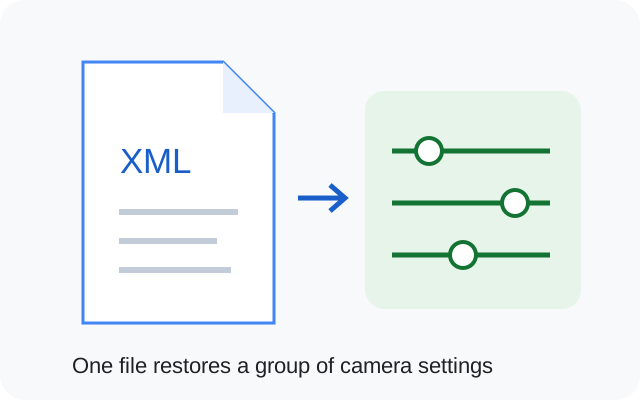
Original illustration. An XML is a settings preset, not an APK, hardware upgrade or security fix.
Where does the XML go?
For the R15 and R16+ LMC indexes: Internal storage / LMC8.4 / file.xml. Extract a ZIP before moving its XML. Follow the illustrated import steps.
Shortlist two community profiles
Use this comparison to spot a model, release or package mismatch before importing. It does not rank image quality.
DSLR, iPhone color and Leica: choose the look carefully
These phrases describe requested looks and community labels. They do not establish matching hardware or official brand involvement. The useful question is which settings work on your phone and whether you like the result in the scenes you photograph.
DSLR config file for LMC 8.4
Detail and subject separation
Start with a matching model profile. Check fine texture, over-sharpened edges, skin texture and portrait boundaries. A DSLR label does not create a larger sensor or an optical depth-of-field effect.
Compare skin and neutral objects in daylight and indoor light. A pleasing outdoor preset may look too warm or saturated under artificial light. Read whether the source actually describes the color or only uses a name.
Check shadow detail and whether reds/greens stay believable for your purpose. A Leica-labelled profile may also change processing controls beyond color. Do not treat the label as a tested lens or camera-system equivalence.
No controlled captures or branded-camera matching test are supplied here. Use the comparison checklist below to evaluate your own working setup.
Find a sourced community XML for your exact phone, then check release and package limits. XML download destinations are not yet configured; each source index is linked so you can check the original contributor and instructions.
R15 and R16+ are separate indexes.
An index category does not establish that a file was tested on every release. “Explicit R18” filters only assignments stated by the source; filename labels are preserved without promoting them to a test result.
3 matching community XML references. Original XML contributors are credited separately from the site reviewer.
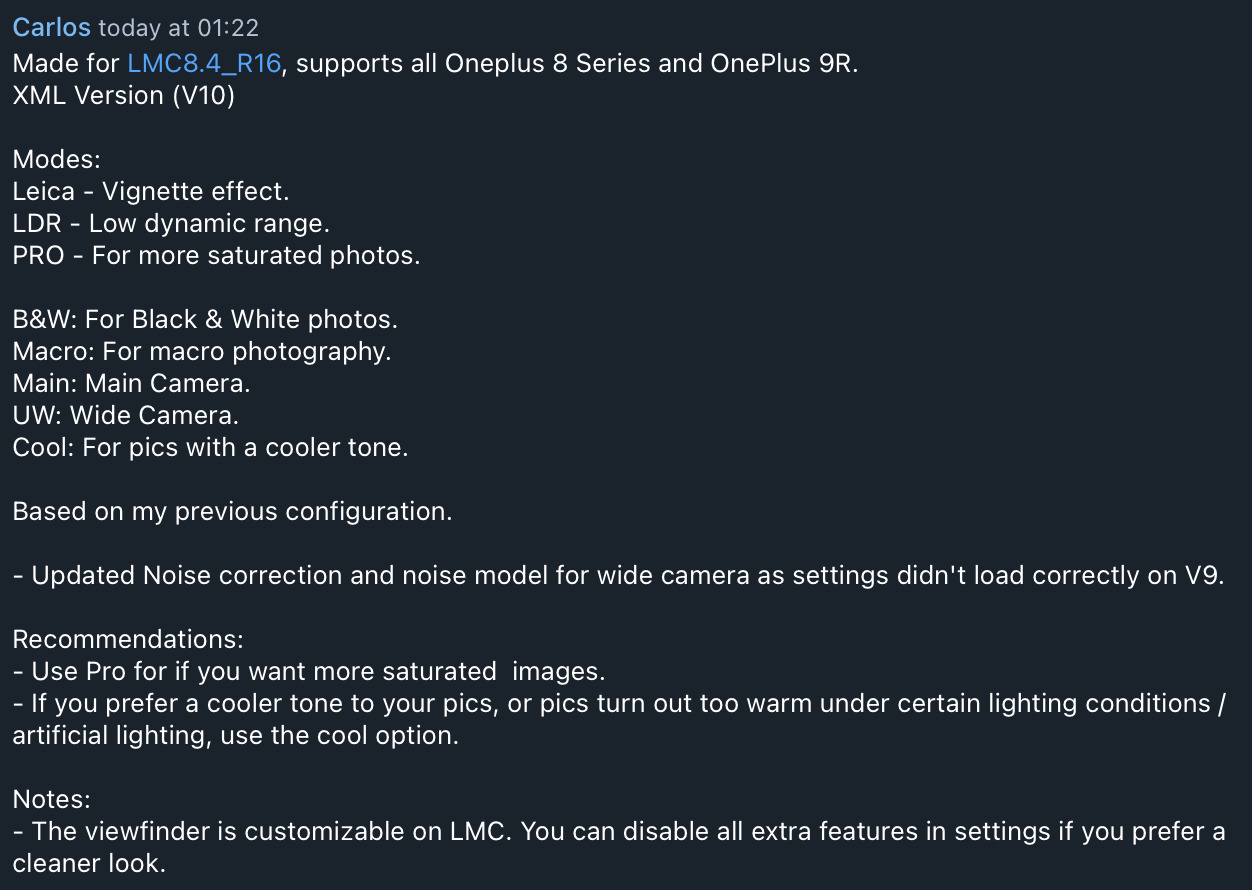
PRO increases saturation; Cool targets cooler output in warm/artificial lighting; Leica is a vignette and LDR is low dynamic range.
Contributor V10 changelog image
Evidence and limitations
Both indexes say snapcam or aweme is needed on stock OxygenOS. Older NiCkAM files are presented as speed and quality options; they are source community profiles, not measured comparisons by this site.
Both indexes say snapcam or aweme is needed on stock OxygenOS. Older NiCkAM files are presented as speed and quality options; they are source community profiles, not measured comparisons by this site.
Both indexes say snapcam or aweme is needed on stock OxygenOS. Older NiCkAM files are presented as speed and quality options; they are source community profiles, not measured comparisons by this site.
No verified recommendation in our catalog. Relax a filter only if the remaining model, release and variant still match your phone.
What if the catalog has no exact match?
Do not borrow a preset from a different regional phone just because its filename mentions your preferred color style. Check the developer or device community for your exact variant. If the default main camera works, keep that baseline while you look for specific XML evidence.
If two appropriate configs both look plausible, test one at a time with a saved backup. Check a daylight scene, an indoor neutral object, a person and a lower-light scene using the same lens. Note changed capture time, missing lenses, color shifts or saving failures before keeping a preset.
Save these details with your backup. They make it possible to repeat a working setup or describe a problem accurately.
Phone model / region
________________________
ROM and Android version
________________________
Full APK filename
________________________
Android package ID
________________________
XML filename / library
________________________
Lens and mode that you tested
________________________
Copy this checklist into your own notes. This page does not submit or save your device information.
Sources & review
Source access: 14 October 2026. Release dates are shown separately. APK testing is reported by founder Muzamil Ahad; individual phone-test records are not currently published.