
Find your exact phone
Match the model, regional variant and stock/custom firmware. Read the source’s package and XML notes before deciding which artifact to try.
Find model-specific advice →Hasli’s Google Camera 8.4 port for Android, with adjustable processing and XML settings. Choose a release for your exact phone, understand its package, and follow a setup you can test and restore.
Latest source-listed 8.4 files: R18F1
Separate from LMC 8.8 and 9.6.
Owner-provided APK available ↓
LMC 8.4 is Hasli’s Android camera port based on the Google Camera 8.4 family. It combines camera controls with XML settings that can be tailored to a phone.
Think of the APK as the camera app, the package as its Android identity, and the XML as a saved group of settings. They solve different problems. A new package can help a supported phone expose an extra lens; a matched XML can restore processing and camera settings. Neither replaces your sensor or automatically makes every picture better.
The R18 source credits other GCam developers and describes a mod heavily based on SGCam. This is an independent guide to those releases. Start with the main rear camera at default settings, then adjust a working setup rather than importing several presets at once.
Learn the difference between APK, package and XML →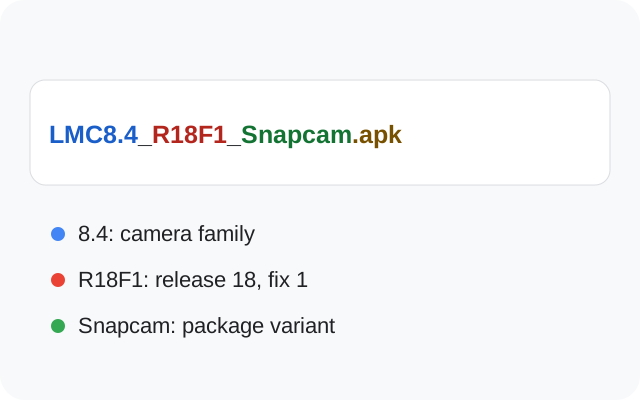
The inspected 8.4 release source lists R18F1. Newer-numbered 8.8 and 9.6 camera bases are separate branches. R18’s notes describe changes to controls and usability, with no claimed quality change.
A filename is only the first step. Choose the path that matches what you are trying to do.
Match the model, regional variant and stock/custom firmware. Read the source’s package and XML notes before deciding which artifact to try.
Find model-specific advice →Record the APK and XML filenames, export your settings and compare the release changes. Upgrade for a relevant change, then retest the lenses and modes you use.
Compare two releases →An installer error, empty XML chooser and auxiliary-lens crash have different causes. Test defaults first and change one variable at a time.
Follow the diagnosis sequence →This file was supplied by the site owner. Its Android manifest reports version 1.0.0 and package com.lmc84.app.
This entry is separate from the sourced Hasli releases. It has not been identified as R18F1, R17 or another release in this guide. Device and XML recommendations for those builds do not establish compatibility with this file.
The manifest declares a minimum of Android 7.0 (API 24). This is a file requirement, not a real-device compatibility result. The Android APK installation steps explain the installation process.
Browse the separate Hasli release catalog →LMC 8.4 download choices depend on your phone’s firmware and camera access. Package names can matter; they do not promise universal compatibility.
R18F1 has six source-listed variants. Older releases have their own file sets. Check the package guide and device evidence before choosing.
The owner-provided APK is listed separately above. These source-listed release variants still need their own matching download URLs.
Use the annotated historical viewfinder to recognize the shutter, modes and lens controls, then read the notes for your installed release.
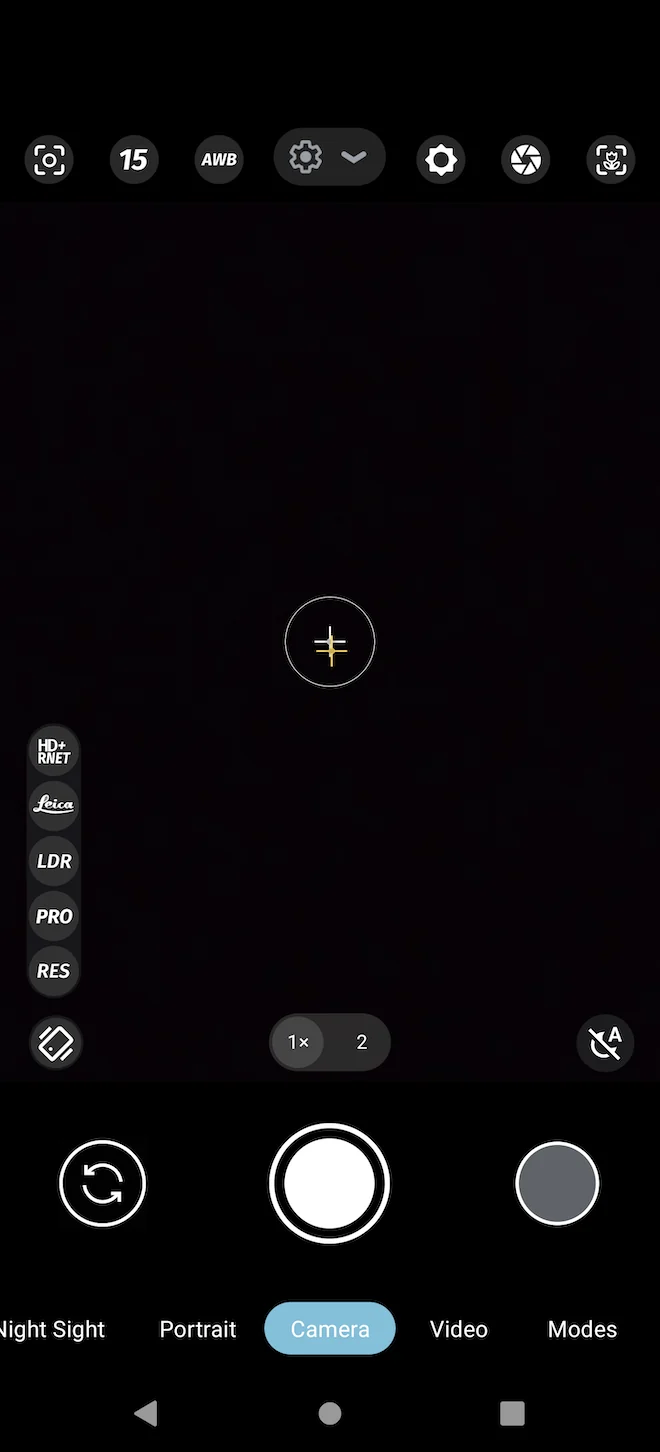
LMC releases and XMLs can expose different buttons. R18 changes control placement and popup menus. Use the release-specific notes and save your current XML before reorganizing settings.
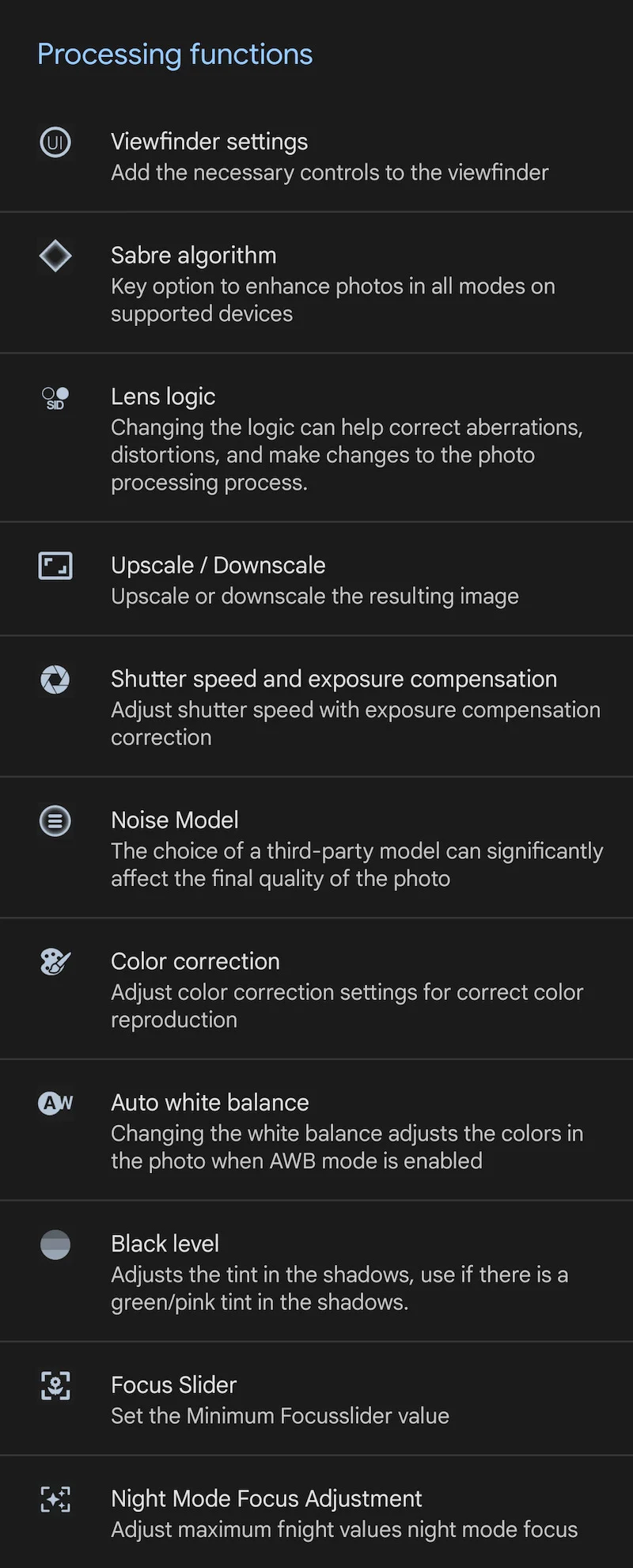 View full image ↗
Historical source screenshot of processing controls; it does not document the R18 UI.
Release source ↗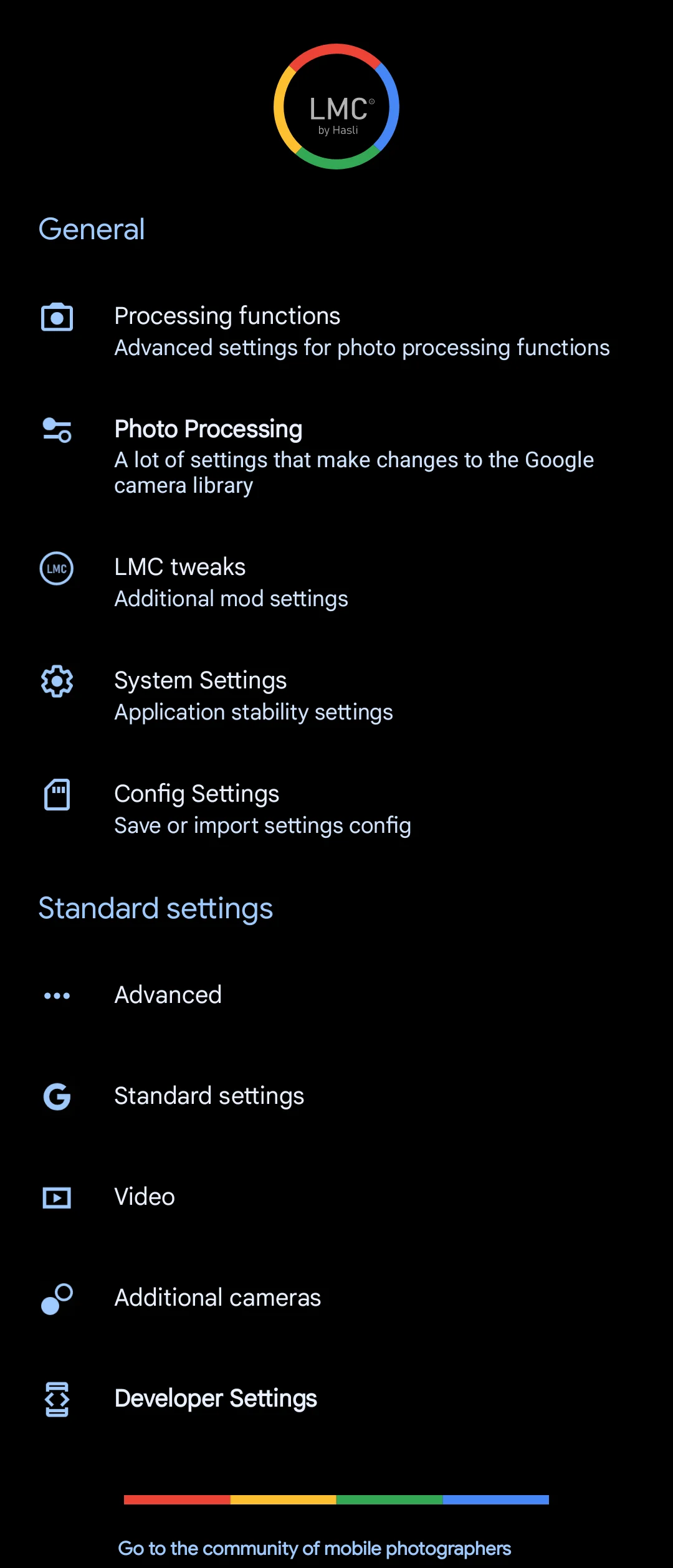 View full image ↗
Source screenshot showing processing, system and config settings.
Release source ↗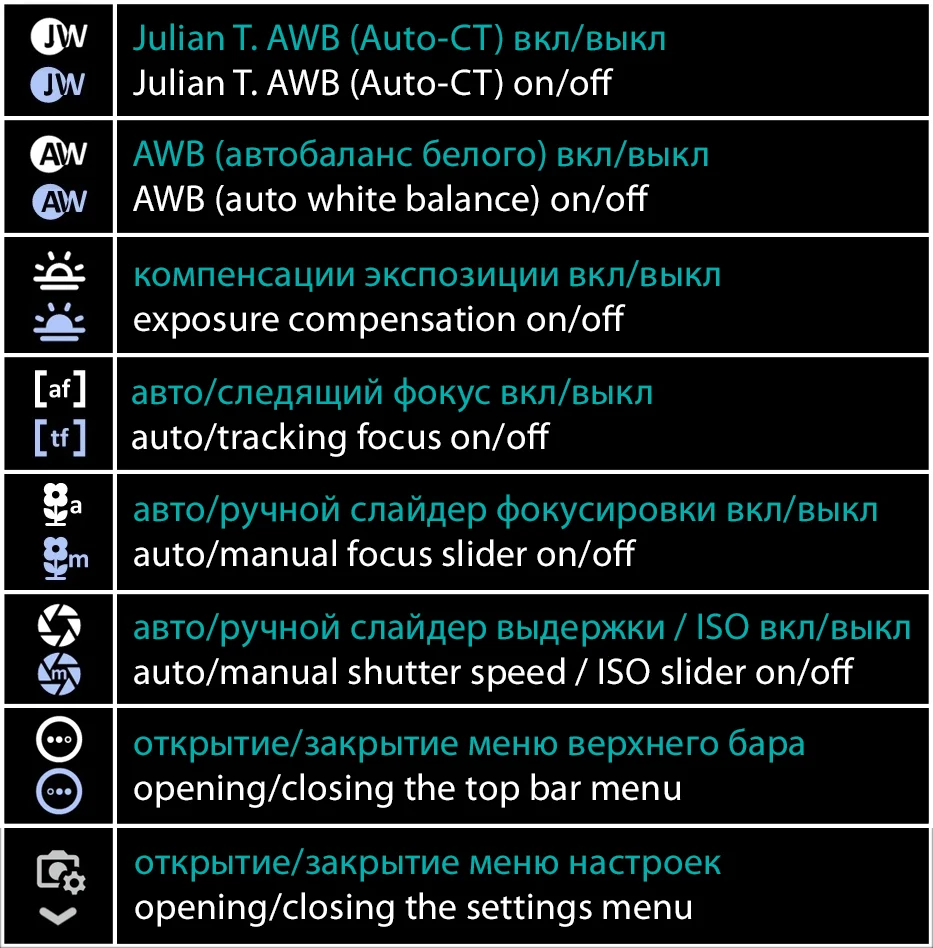 View full image ↗
Developer-linked control illustration, not a captured viewfinder.
Release source ↗The point of a camera port is a usable capture workflow. These are starting ideas to test on a working phone, not universal presets.
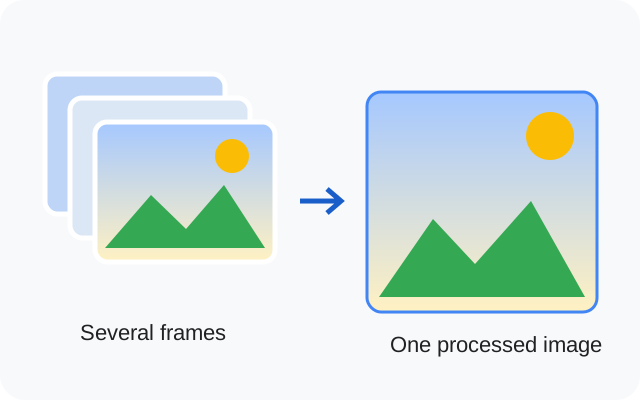
GCam’s HDR modes and processing tradeoffs are explained in the GCam technical FAQ. Mode availability still depends on the port and phone.
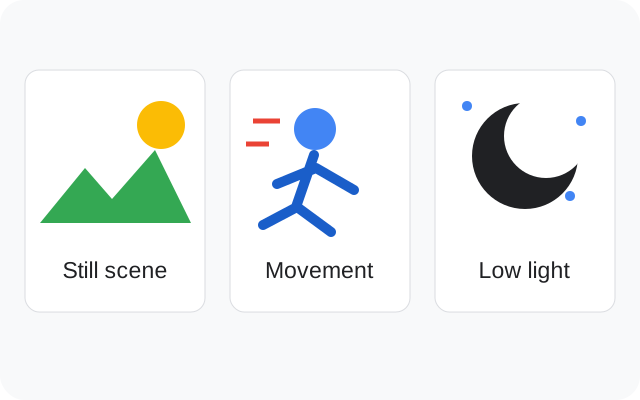
HDR+ Enhanced combines multiple frames. It can be useful when a still scene contains bright sky and darker foreground, but it takes more time than a faster capture mode. With a moving person, try the faster available mode and check whether faces remain sharp.
Night Sight also needs time and stability. Astrophotography depends on darkness, a stationary phone and device exposure support. A menu option does not prove your firmware supports a long exposure.
White-balance controls alter color interpretation; sharpness and noise settings alter the tradeoff between texture and smoothing. Save a backup before changing them. Compare the same scene and lens so a lighting change is not mistaken for a preset improvement.
Keep the phone steady, meter deliberately and compare a faster HDR mode with HDR+ Enhanced if both work. Inspect the bright sky and shadow detail before choosing.
Watch for motion blur, delayed capture and unnatural skin color. Keep the same lens and distance when testing an XML, and avoid assuming a portrait label guarantees a good edge mask.
Support the phone and give the selected mode time to finish. Test a normal photo and Night Sight separately; failure in one mode does not establish failure in every mode.
Auto white balance estimates the color of the light. Different calibration/models can make a scene warmer, cooler or more neutral. Compare AWB on/off with a familiar neutral object and skin tones in daylight and indoor light, rather than judging only sky saturation. See the Google Research explanation; Pixel calibration does not establish identical accuracy on another phone.
A JPEG is a rendered image ready to view; RAW/DNG holds raw image data and camera metadata for compatible editing software. If your build and camera offer RAW + JPEG, check that both files save and open. A RAW thumbnail is not the same comparison as a developed image. See Android’s DNG reference and Google’s format explanation; these sources explain formats, not universal LMC support.
Use whichever app reliably provides the lens, video mode or fast capture you need. This guide does not establish a universal LMC-versus-stock winner or a measured photographic improvement.
Find a community-listed XML and read its hardware, firmware and package caveats before installing.
3 featured devices. Community evidence; check the variant details.
Confirm the regional hardware variant first. On the source's Snapdragon target, start with 25_4_23_setting_preference.xml and an unchanged photo mode before comparing the more customized file.
Choosing the configChoose the simple Snapdragon-labelled entry to establish a reference. If you try the jrosatti profile, its source describes tele, ultrawide, wide, front and wide black-and-white controls plus tone-curve/upscale changes; check each control's actual saved output.
Use the full model number and regional specification rather than the S20 FE product name alone. The Snapdragon-labelled recommendation is not evidence for an Exynos S20 FE.
With the jrosatti profile, test ordinary wide output before black-and-white or upscaling. That makes it easier to tell a lens-switch problem from a deliberate processing effect.
The older s20fe_snap_lmc8.4r15_basic.xml has model and Snapdragon labels. Keep its R15-index scope visible, and change only the XML when comparing it with a working setup.
Keep separate: Exynos S20 FE for Snapdragon-labelled files; Galaxy S20; Galaxy S20 Ultra
Profile source / instructions ↗ Profile source / instructions ↗
The current index explicitly labels the first profile Snapdragon. Do not extend that listing to Exynos S20 FE variants. ROM, Android version and front-camera behavior are not comprehensively documented.
Release: R16+ index; exact release unconfirmed
Package: No verified package recommendation
Author: Not attributed in index
Release: R16+ index; exact release unconfirmed
Package: No verified package recommendation
Author: Not attributed in index
Release: R15 index; exact release unconfirmed
Package: ruler or scan3d (source R15-index recommendation)
Author: Not attributed in index
For an Exynos phone considering the older profile, plan around the documented front-camera limitation. For HK-Leica, check the 3x night result early instead of evaluating only daylight main-camera photos.
Choosing the configThe current HK-Leica entry provides a concrete zoom/night warning but leaves chipset scope unspecified. The older Exynos entry is clearer about hardware and front-camera behavior; neither establishes a complete all-camera setup on every firmware.
Take the same low-light subject with 1x and 3x, then inspect the saved brightness. If HK-Leica's 3x picture is too dark, retain another working option for that situation.
The source specifically reports that the older Exynos S21U-R15-HDR profile does not support the front camera. Keep the stock-camera selfie path available if that limitation appears on your phone.
HK-Leica is a contributor profile name. Resolve the phone's variant and verify lens behavior rather than treating that name as a Snapdragon or Exynos assignment.
Keep separate: Galaxy S21; Galaxy S21 FE
The contributor identifies darker 3x night pictures as a known profile issue. Compare a main-camera shot and retain a working alternative for the scene; this website has not measured the effect.
Profile source / instructions ↗ Profile source / instructions ↗
The current HK-Leica profile does not specify chipset. Its source reports darker 3x zoom images at night. The older S21U-R15-HDR profile explicitly targets Exynos; its source says rear cameras work but the front camera does not.
Release: R16+ index; exact release unconfirmed
Package: No verified package recommendation
Author: Not attributed in index
Release: R15 index; exact release unconfirmed
Package: ruler or scan3d (source R15-index recommendation)
Author: Not attributed in index
Identify Snapdragon or Exynos before importing the older profile: S22U-SD-LMCr15-ArcideV7.xml and LMC-S22U-Exynos.xml are separate choices.
Choosing the configUse the explicitly labelled older hardware entry when you need a clear variant match. Treat the newer javasabr profile as a separate community experiment whose chipset and release scope require confirmation.
Name saved backups with SD or Exynos alongside the APK release. This prevents an accidental cross-variant import when several S22 Ultra files are in the same folder.
The index has a different S22/S22+ heading. A base-model R18 assignment cannot be transferred to the Ultra listing simply because both say S22.
The older S22 Ultra section recommends ruler or scan3d. After installing a matching build, establish main-camera photo saving before trying auxiliary buttons.
Keep separate: Galaxy S22; Galaxy S22+; Opposite chipset variant for SD/Exynos-labelled files
Match the phone's regional hardware variant to the explicit source label. The files are separate, and this catalog does not establish that one substitutes for the other.
Profile source / instructions ↗ Profile source / instructions ↗
The newer index profile does not specify regional chipset. The R15 index provides separate Snapdragon and Exynos files; keep those separate. A package choice cannot remove all hardware and ROM differences.
Release: R16+ index; exact release unconfirmed
Package: No verified package recommendation
Author: Not attributed in index
Release: R15 index; exact release unconfirmed
Package: ruler or scan3d (source R15-index recommendation)
Author: Not attributed in index
Release: R15 index; exact release unconfirmed
Package: ruler or scan3d (source R15-index recommendation)
Author: Not attributed in index
No verified recommendation in our catalog. Check your exact variant and source notes; a similar model is not enough.
Explore all 40 researched models →Release notes document sharpening, noise and white-balance controls. A changed setting can improve or worsen a scene; keep a baseline.
R17 processing changes →Auxiliary-lens access depends on firmware and package identity. R18 changes default AUX IDs for many devices, without guaranteeing every lens.
Understand packages →Export a working setup, try a device-matched preset, then restore your backup when needed. Keep release compatibility in view.
Load and back up XML →R18 focuses on usability. Choosing the highest release number is not evidence of better photographic results on your phone.
| Release | Hub date | Documented focus | Package files |
|---|---|---|---|
| R18F1 | 2023-06-14 | A larger exposure control and popup option buttons make the viewfinder controls easier to reach. | 6 |
| R17 | 2023-05-03 | New TEST patcher controls adjust LDR highlights, Sabre noise, and highlight preservation. | 5 |
| R16 | 2023-04-06 | Per-module ZSL/HDRNet frame selection, long-press actions, button zoom values, and viewfinder-resolution controls were added. | 6 |
| R15 | 2022-11-30 | Exynos support improvements and separate library selection for rear modules were introduced. | 7 |
| R14 | 2022-10-11 | Material You styling, system noise models, and noise-model tuning were introduced. | 4 |
| R13 Fix 2 | 2022-08-15 | Fix 2 adds ISO100, maximum time, and maximum ISO choices to the shutter selection. | 4 |
| R9 | 2022-04-11 | TEST and LDR patcher options were expanded, with wider clarity, contrast, and smoothing ranges. | 3 |
| R8 | 2022-03-14 | RAW format selection, additional Sabre options, and noise-level presets were added. | 6 |
Dates identify hub listings. Separate fix-artifact dates are not confirmed; the R8 count includes Lite files.
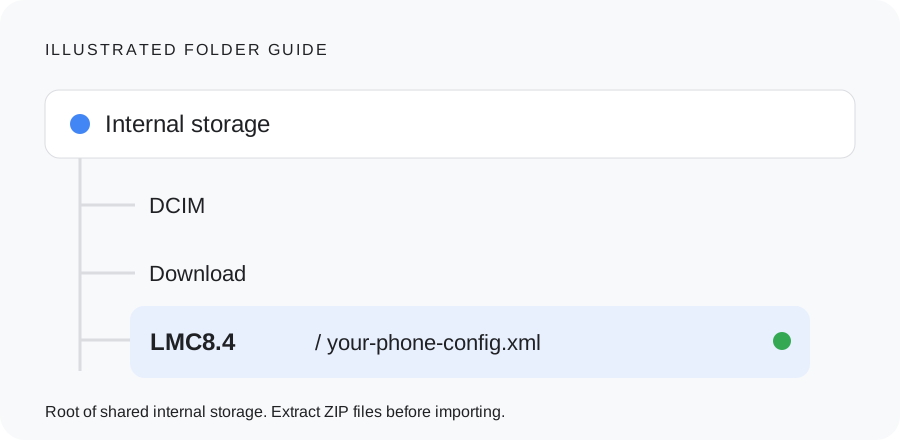
An XML file saves camera settings. Match it to your phone and release, back up your current setup, and test one change at a time.
The inspected Hasli hub’s latest 8.4 listing is R18; its source page currently lists R18F1 files. LMC 8.8 and 9.6 are separate branches, so “latest 8.4” does not mean latest LMC overall.
The inspected primary release pages establish the 8.4 family but do not confirm the exact upstream patch number 8.4.300. Choose by the full Hasli release filename and package ID; the number alone does not identify a separate verified artifact here.
Firmware, camera access, chipset, release and XML matter. Muzamil Ahad reports APK testing across the listed models; individual phone-test records are not published. The 40-model catalog retains community source notes and firmware limits so you can check your own setup.
No. These are photographic looks or community labels. They do not replace the sensor or optics and do not indicate affiliation with those brands.
In this guide it refers to the LMC 8.4 R17 camera release. The phrase can be ambiguous outside that context. Use the R17 release page to check the exact filenames and changes.
These phrases can be ambiguous. If you intended Hasli’s Google Camera port, its name is LMC and the source identifies releases such as LMC8.4_R18F1. Use the actual release and package names to avoid choosing an unrelated app.
Source access: 14 October 2026. Release dates are shown separately. APK testing is reported by founder Muzamil Ahad; individual phone-test records are not currently published.
Founder & APK reviewer: Muzamil Ahad. How the guide was researched · Report a correction.